

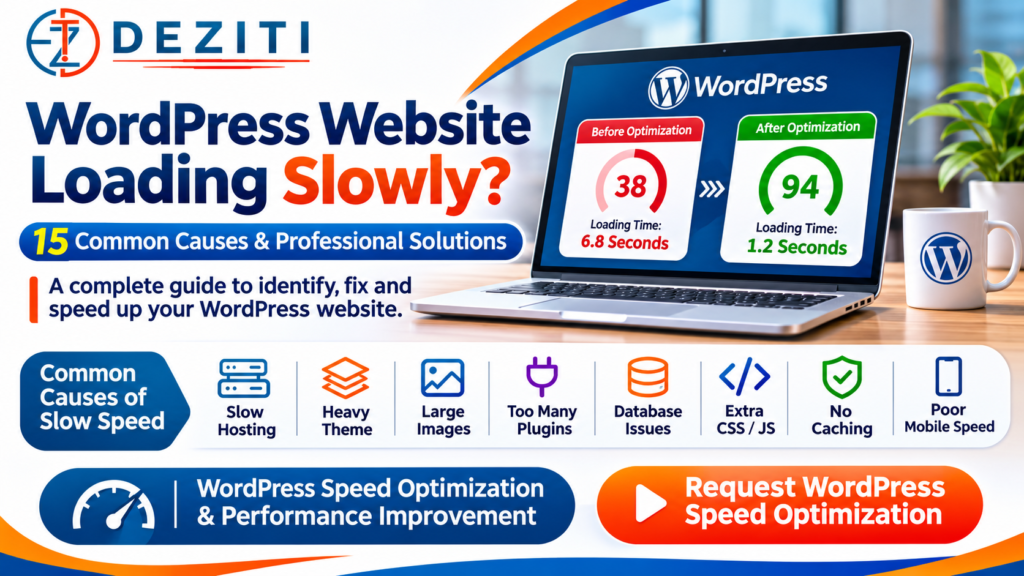
Is your WordPress website loading slowly on mobile phones or desktop computers?
Does your website take too long to display its homepage, images, menus or contact forms?
Are customers leaving your website before they can explore your products or services?
A slow WordPress website can create a frustrating experience for visitors and make it harder for potential customers to complete enquiries, bookings or purchases.
WordPress is a powerful content management system used for business websites, schools, hospitals, online stores, NGOs and many other types of websites.
However, poor hosting, large images, heavy themes, inefficient plugins and incorrect configurations can reduce website performance.
The good news is that many WordPress performance problems can be identified and improved through proper technical analysis.
In this 2026 guide, Deziti IT Solutions explains 15 common reasons WordPress websites become slow, how to diagnose the problems and which professional solutions can help improve loading speed.
Whether you are managing a new WordPress website or an older business website, this guide will help you understand the important steps involved in WordPress speed optimization.
Why Is Your WordPress Website Loading Slowly?
A WordPress website does not become slow for just one reason.
Performance depends on how the website is developed, hosted, configured and maintained.
Some common problems include:
- Slow web hosting or overloaded servers
- Heavy WordPress themes
- Large, unoptimized images
- Inefficient or unnecessary plugins
- Missing website caching
- Excessive JavaScript and CSS
- Slow database queries
- Outdated server software
- Too many external scripts
- Poor mobile optimization
- Incorrect lazy-loading configuration
- Excessive animations and sliders
- Too many redirects
- High server resource consumption
- Security issues or unwanted automated traffic
The correct solution depends on identifying the actual cause rather than installing multiple optimization plugins without testing.
How to Check Your WordPress Website Speed
Before changing your WordPress website, measure its current performance.
1. Google PageSpeed Insights
Google PageSpeed Insights helps website owners analyze performance on mobile and desktop devices.
Tool: https://pagespeed.web.dev/
Enter your website URL and review the available results.
PageSpeed Insights provides performance diagnostics and, when sufficient data exists, real-user experience information.
2. Google Search Console
If your website is connected to Google Search Console, open the Core Web Vitals report.
This report helps identify groups of pages with performance concerns based on available real-user data.
Tool: https://search.google.com/search-console/
3. Chrome DevTools
Developers can use Chrome DevTools to investigate slow resources, JavaScript execution, network requests and layout problems.
4. WordPress Site Health
Log in to your WordPress dashboard and open:
Tools → Site Health
Review the available recommendations about server configuration and the WordPress environment.
Site Health does not replace a complete performance audit, but it can help identify configuration problems.
Important Google Core Web Vitals
| Metric | Good Target |
|---|---|
| Largest Contentful Paint (LCP) | 2.5 seconds or less |
| Interaction to Next Paint (INP) | 200 milliseconds or less |
| Cumulative Layout Shift (CLS) | 0.1 or less |
These performance measurements help identify loading, responsiveness and visual stability problems.
A perfect PageSpeed score is not necessary for every website. Focus on meaningful user-experience improvements and issues affecting important business pages.
15 Common Causes of a Slow WordPress Website and How to Fix Them
1. Slow or Overloaded Web Hosting
Your website’s hosting server plays an important role in performance.
If your hosting plan has insufficient resources, your website may respond slowly, especially during busy periods.
Common Symptoms
- Slow initial server response
- Website delays during peak traffic
- WordPress dashboard running slowly
- Intermittent loading errors
- High CPU or memory usage
Professional Solution
Review the hosting environment, server resource usage, PHP configuration and database performance.
A suitable hosting upgrade may be necessary if the website regularly exceeds its available resources.
However, changing hosting should not be the first step without checking whether the slowdown is caused by inefficient website code or resource-heavy plugins.
2. Heavy WordPress Themes
Some WordPress themes include numerous animations, sliders, visual elements and unnecessary features.
These elements can increase the amount of CSS, JavaScript and other resources required to load each page.
Professional Solution
Use a well-maintained theme appropriate to your website’s requirements.
A lightweight custom WordPress theme can be considered when an existing theme creates persistent performance problems.
Can You Change a WordPress Theme Without Losing Your Content?
In many cases, posts, pages and media remain stored in the WordPress database when a theme changes.
However, theme-specific shortcodes, widgets, templates and custom functionality can be affected.
Before changing the theme:
- Create a complete backup.
- Test the replacement on a staging website.
- Check menus, forms and dynamic functionality.
- Preserve existing URLs where possible.
- Verify SEO metadata and important page content.
- Test the design on mobile and desktop devices.
A properly planned theme migration can improve performance while reducing the risk of content and functionality problems.
3. Large and Unoptimized Images
Large images are a common cause of slow WordPress pages.
A homepage containing several oversized photographs can require significant data transfers.
Professional Solution
Optimize images before uploading them.
Recommended practices include:
- Resize images to appropriate display dimensions.
- Use suitable modern image formats such as WebP or AVIF where supported.
- Compress images without unnecessary visual quality loss.
- Use responsive images.
- Avoid uploading extremely large images for small display areas.
WordPress supports responsive image features, but the correct image sizes and loading strategy still matter.
4. Missing or Incorrect Website Caching
WordPress dynamically processes requests using PHP and a database.
Without effective caching, the server may repeat unnecessary work for many visitors.
What Is Website Caching?
Caching allows previously generated content or resources to be reused instead of being regenerated for every request.
Professional Solution
Depending on the hosting environment, suitable options may include:
- Page caching
- Browser caching
- Server-side caching
- Object caching
- Content delivery network caching
Common WordPress caching solutions include WP Super Cache, W3 Total Cache and other compatible services.
Important: Caching must be configured carefully for dynamic websites.
Shopping carts, logged-in dashboards, checkout pages and other personalized content often require special cache exclusions.
5. Too Many or Poorly Optimized Plugins
WordPress plugins add useful functionality, but individual plugins can also introduce performance problems.
The number of installed plugins alone does not determine website speed.
A single inefficient plugin may have a larger impact than several lightweight, well-developed plugins.
Professional Solution
Review installed plugins and identify:
- Unused plugins
- Duplicate functionality
- Plugins with heavy database queries
- Plugins loading unnecessary scripts
- Outdated or unsupported plugins
- Plugins causing compatibility issues
Test suspected plugins on a staging environment or through an appropriate troubleshooting process.
Never remove important plugins without checking which website features depend on them.
6. Excessive CSS and JavaScript Files
Themes, plugins and page builders may load multiple CSS and JavaScript resources.
Some files can delay the display of important visible content or increase browser processing time.
Professional Solution
A developer can review:
- Unused CSS
- Unnecessary JavaScript
- Render-blocking resources
- Script-loading priorities
- Conditional asset loading
- Safe code minification
Deferring noncritical scripts may improve loading performance, but aggressive changes can break menus, sliders, forms or payment functionality.
Changes should be tested before deployment.
7. Too Many Third-Party Scripts
Business websites often use external services such as:
- Google Analytics
- Advertising tracking pixels
- Live chat widgets
- Social media embeds
- Maps
- Video players
- Marketing automation tools
These services may be useful, but they can add additional network requests and browser processing.
Professional Solution
Review every third-party script.
Remove unused integrations and load nonessential features only when needed.
For example, a static map preview that opens Google Maps when clicked may be more efficient than loading a full interactive map on every page.
8. Slow WordPress Database
WordPress stores posts, settings and other information in a database.
Poorly optimized queries, excessive autoloaded settings and inefficient plugin data access can slow down requests.
Professional Solution
A qualified developer can investigate:
- Slow database queries
- Oversized autoloaded options
- Excessive transient data
- Unnecessary plugin tables
- Database configuration
- Appropriate object caching
Warning: Do not delete database tables, options or records without a verified backup and a clear understanding of their purpose.
Unnecessary database cleanup can permanently damage important website functionality.
9. Outdated PHP or WordPress Software
WordPress performance and security depend partly on the software running on the server.
Older versions may lack performance improvements or security fixes.
Professional Solution
Review compatibility and update supported components such as:
- WordPress core
- PHP
- Themes
- Plugins
- Database software
Always check the requirements of custom plugins, themes and business applications before making major updates.
For important websites, test changes on staging before updating the live environment.
10. Missing Content Delivery Network (CDN)
Visitors located far from a website’s hosting server may experience additional network latency.
A Content Delivery Network can distribute certain website resources through geographically distributed servers.
Professional Solution
Consider a suitable CDN when it provides a measurable benefit.
A CDN may help deliver:
- Images
- CSS files
- JavaScript files
- Fonts
- Cacheable website pages
However, a CDN cannot automatically fix inefficient PHP code, slow database queries or poorly configured applications.
It should be part of the overall performance strategy rather than the only optimization step.
11. Incorrect Image Lazy Loading
Lazy loading delays certain images until they are near the visible area of a page.
This can reduce unnecessary initial loading work.
However, incorrect lazy-loading configuration can delay important content.
Professional Solution
Use lazy loading primarily for appropriate below-the-fold images.
Avoid lazy-loading a large above-the-fold image when it is the page’s Largest Contentful Paint element.
Prioritize loading the main hero image and other essential visible content.
WordPress and modern browsers provide useful image-loading features, but configuration still needs to be tested.
12. Excessive Sliders, Animations and Video Backgrounds
Some business websites use large homepage sliders, animated sections, autoplay videos and complex visual effects.
These elements can increase page weight and processing requirements.
Professional Solution
Consider replacing unnecessary effects with simpler design elements.
For example:
- Replace large sliders with one useful hero section.
- Use optimized images instead of unnecessarily heavy video backgrounds.
- Limit complex animations.
- Avoid loading offscreen media before it is needed.
- Reduce visual effects on lower-powered mobile devices.
A modern website does not need excessive animation to look professional.
13. Too Many Redirects and Unnecessary Requests
Redirects are useful when website URLs change, but excessive redirect chains can delay navigation.
A page may also load unnecessary fonts, images or other resources.
Professional Solution
Review the website’s request waterfall and redirect paths.
Correct avoidable chains while preserving necessary redirects.
Do not remove existing 301 redirects without checking their role in SEO, backlinks and previously published URLs.
During a WordPress redesign, maintaining the correct URL structure and redirect strategy is particularly important.
14. Heavy Page Builders and Complex Templates
Page builders make website design more convenient, but complex layouts may introduce additional markup, CSS and scripts.
The impact depends on the specific builder, template and configuration.
Professional Solution
Review the existing page layout and remove unnecessary components.
Potential improvements include:
- Simplifying page structures
- Reducing nested layout elements
- Removing unused widgets
- Replacing inefficient visual effects
- Optimizing assets loaded by the builder
- Using custom templates where appropriate
A complete redesign is not always necessary. The best approach depends on testing the current website.
15. Security Issues and Unwanted Server Activity
A website experiencing malicious automated traffic, resource abuse or compromised code may become slow.
However, slow performance alone does not prove that a website has been hacked.
Warning Signs
- Unexpected server resource usage
- Unknown administrator accounts
- Suspicious files or scripts
- Unusual traffic patterns
- Unexpected redirects
- Repeated server errors
Professional Solution
Perform an appropriate security review.
Check logs, website files, administrator access, plugins and hosting activity.
If a website is compromised, it may require controlled cleanup, credential changes, restoration and security hardening.
Security issues should be addressed before routine speed optimizations.
WordPress Website Speed Optimization: Step-by-Step Checklist
If your WordPress website is slow, follow this structured process.
Step 1: Measure Current Performance
Run PageSpeed Insights for the homepage and important service pages.
Record mobile and desktop results.
Step 2: Create a Complete Backup
Back up the website files and database before making significant changes.
Step 3: Review Hosting and Server Performance
Check server response time, resource usage and software compatibility.
Step 4: Review Themes and Plugins
Identify unnecessary resources and possible performance bottlenecks.
Step 5: Optimize Images
Resize, compress and appropriately serve large images.
Step 6: Configure Suitable Caching
Use caching appropriate to the website’s hosting and dynamic functionality.
Step 7: Optimize CSS and JavaScript
Review render-blocking resources and unnecessary scripts.
Step 8: Review the Database
Investigate slow queries and excessive autoloaded data.
Step 9: Test the Website
Verify important functionality, including forms, menus, logins, payment pages and dynamic features.
Step 10: Compare Before-and-After Results
Measure performance again using comparable testing conditions.
Real-user Core Web Vitals reports may require additional time and sufficient traffic before showing changes.
Does a Slow WordPress Website Affect Google Rankings?
Website speed is one aspect of overall page experience.
Google uses Core Web Vitals in its ranking systems and recommends improving loading performance, responsiveness and visual stability.
However, strong Core Web Vitals do not guarantee first-page rankings.
Relevant, original content and other factors also contribute to search performance.
For business owners, WordPress optimization should focus on both:
1. Better Visitor Experience
Help customers browse your website, find information and submit enquiries more comfortably.
2. Better Technical Website Quality
Reduce avoidable delays, broken functionality and performance issues.
A fast website with poor content may still struggle to attract search traffic.
Similarly, useful content on a frustrating website may not provide the experience customers expect.
The best approach is to combine helpful content, sound technical development and ongoing SEO.
Why Is My WordPress Website Slow on Mobile but Fast on Desktop?
This is a common question.
Mobile and desktop performance can differ because of:
- Device processing power
- Network conditions
- Image sizes
- Script execution
- Font loading
- Mobile-specific layouts
- Third-party resources
A website that feels fast on a powerful office computer may perform differently on an entry-level smartphone using a slower connection.
Recommended Solution
Test mobile performance separately.
Use PageSpeed Insights diagnostics to identify opportunities for improvement.
Prioritize important above-the-fold content and reduce unnecessary browser processing.
Check actual mobile usability rather than relying only on a desktop performance score.
Can WordPress Speed Be Improved Without Changing the Theme?
Yes.
Many performance problems can be improved without replacing the current theme.
Potential solutions include:
- Image optimization
- Caching configuration
- Plugin cleanup
- Script optimization
- Hosting improvements
- Database tuning
- Third-party script reduction
However, if the theme itself contains inefficient templates or excessive functionality, a carefully planned redesign may provide a more sustainable solution.
The correct decision should follow a technical audit.
When Should You Hire a Professional WordPress Speed Optimization Developer?
Some website owners can handle basic tasks such as resizing images or removing unused plugins.
Professional assistance becomes particularly valuable when:
- Your website remains slow despite basic optimization
- Performance drops after WordPress updates
- Your site uses custom plugins or themes
- Business-critical forms stop working
- You operate an online store
- The WordPress dashboard is unusually slow
- You need theme replacement without losing content
- Your website contains sensitive customer information
- Server and database issues require investigation
Professional optimization should be based on the problems found, not promises of a particular PageSpeed score.
Why Choose Deziti IT Solutions for WordPress Website Optimization?
Deziti IT Solutions is a website and software development company based in Bidar, Karnataka.
We provide WordPress website development, redesign and custom technical solutions for businesses and institutions.
WordPress Website Development
We develop responsive WordPress websites according to business requirements.
Website Redesign
Businesses with outdated, heavy or difficult-to-use websites can discuss redesign and performance improvement requirements.
Technical Review
We can assess a WordPress website’s performance concerns and identify potential improvement options according to its hosting and technical configuration.
Custom WordPress Solutions
For specialized requirements, we can discuss custom themes, integrations and functionality.
Website Maintenance
Ongoing technical support, updates and maintenance can be arranged according to the selected service agreement.
Local and Remote Support
Deziti is based in Bidar, Karnataka, and coordinates projects with customers across India.
Frequently Asked Questions About Slow WordPress Websites
1. Why is my WordPress website so slow?
Common causes include poor hosting performance, inefficient themes or plugins, large images, missing caching, slow database queries and excessive scripts.
2. How can I fix a slow WordPress website?
Start with PageSpeed Insights, review hosting and plugin performance, optimize images, configure appropriate caching and test the results.
3. What is a good WordPress website loading speed?
Google’s Core Web Vitals include a good Largest Contentful Paint target of 2.5 seconds or less at the 75th percentile of real-user page loads. This is not the same as requiring every entire page to finish loading in 2.5 seconds.
4. Which WordPress plugin is best for speed optimization?
The suitable caching and optimization solution depends on your hosting, existing website configuration and required functionality. No single plugin is best for every website.
5. Does changing the WordPress theme improve speed?
It can, particularly if the existing theme is a major performance bottleneck. However, theme changes should be tested carefully to protect content, SEO and functionality.
6. Can too many WordPress plugins slow down a website?
They can, but plugin quality and resource usage matter more than the total number alone. Review actual performance before removing plugins.
7. Does website speed affect SEO?
Google uses Core Web Vitals in ranking systems, but page experience is only one part of search performance. Improving website speed alone does not guarantee higher rankings.
8. Can WordPress speed be improved without losing data?
Yes, many optimization tasks can be performed while preserving content and functionality. Complete backups, staging tests and post-change checks are important.
9. How much does WordPress speed optimization cost in India?
The cost depends on the website’s complexity and the issues discovered. Basic configuration work differs from theme redevelopment, database optimization or server migration. Request a technical assessment and written quotation.
10. Does Deziti IT Solutions provide WordPress speed optimization services?
Deziti provides WordPress development and redesign services and can review website performance problems to discuss suitable technical improvements.
Conclusion: Improve Your WordPress Speed Before You Lose More Business Opportunities
A slow website can create unnecessary difficulties for customers who want to explore your services or contact your business.
The causes may include hosting limitations, heavy themes, oversized images, inefficient plugins or server configuration problems.
The most effective approach is to identify the real bottlenecks, improve the relevant components and verify that the website remains functional.
For some websites, simple caching and image optimization may provide useful improvements.
For others, more extensive development, hosting changes or theme redesign may be necessary.
Do not optimize only for a perfect PageSpeed score. Focus on delivering a fast, reliable and comfortable website experience for your visitors.
Is Your WordPress Website Loading Slowly?
Get Professional WordPress Website Support from Deziti IT Solutions.
We can discuss your requirements for:
- WordPress speed optimization
- Website performance troubleshooting
- Website redesign
- Theme optimization
- Plugin compatibility
- Hosting and server review
- Website maintenance
- Mobile responsiveness improvements
Request a WordPress Website Performance Consultation
DEZITI IT SOLUTIONS
Website Development | WordPress Support | Website Redesign | Software Development
Location: Naubad, Bidar, Karnataka, India
Call / WhatsApp: +91 8495950143
Email: dezitise@gmail.com
Website: https://deziti.com/
Share your WordPress website URL with our team to discuss a performance review and customized quotation.
Leave a Reply