

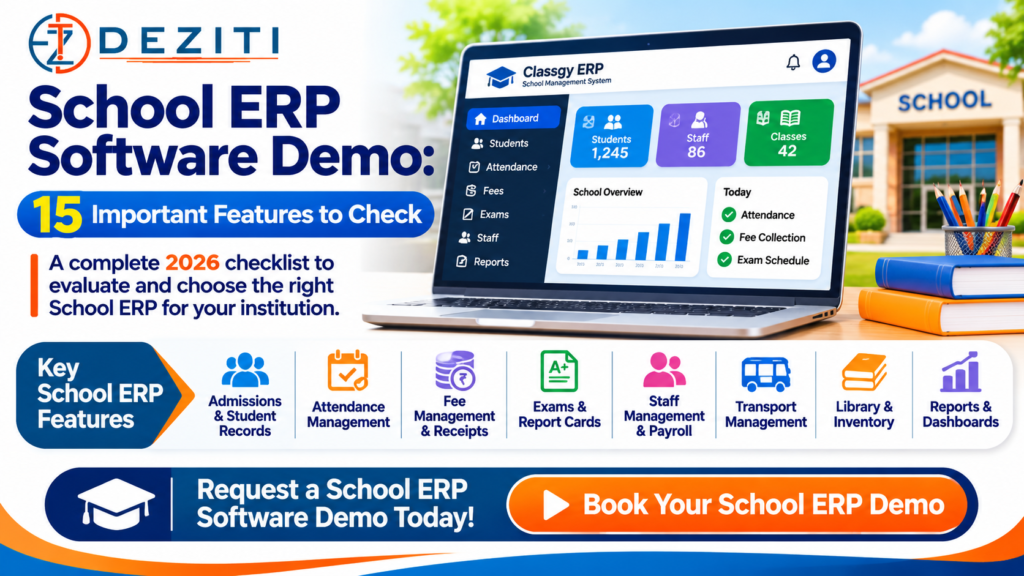
Are you looking for a School ERP software demo before purchasing a school management system for your institution?
Choosing the right School ERP software is an important decision for school principals, chairpersons, trustees and administrators.
Every school manages several daily responsibilities, including student admissions, attendance, fee collection, examinations, staff management, parent communication and administrative reporting.
Managing these activities through paper registers, separate Excel sheets and disconnected applications can create repetitive work and make information difficult to access.
A professional School ERP (Enterprise Resource Planning) system brings important school operations into a centralized digital platform.
However, before purchasing any school management software, it is essential to see how the system works in practice.
A software demonstration helps school management understand whether the ERP is easy to use, supports the institution’s requirements and offers practical long-term value.
In this guide, Deziti IT Solutions, a software development company based in Bidar, Karnataka, explains 15 essential School ERP features every educational institution should check before making a purchase decision.
Looking for a School ERP demo? Contact Deziti IT Solutions at +91 8495950143 to discuss your institution’s requirements and schedule a demonstration.
What Is a School ERP Software Demo?
A School ERP software demo is a practical demonstration of a school management system’s features and workflows.
During the demo, the software provider shows how teachers, accountants, administrators and school management can use the application.
A useful ERP demonstration should explain how the system performs actual school operations rather than displaying only attractive dashboard screens.
For example, school administrators should be able to understand how to:
- Add and manage students
- Record student attendance
- Configure fee structures
- Collect fees and generate receipts
- Enter examination marks
- Generate report cards
- Maintain staff records
- Manage parent communication
- Download administrative reports
- Control access to institutional data
The features demonstrated should correspond to the modules included in the proposed ERP package.
Why Should Schools Request an ERP Demo Before Buying?
Every educational institution has different administrative requirements.
A small primary school may need basic student records, attendance and fee collection.
A large school may require multiple academic sections, examination systems, transport management and parent portals.
A group of institutions may require branch-specific administration and consolidated reporting.
A practical demo helps management evaluate whether the software can support these requirements.
Benefits of an ERP Demo
Understand the User Interface
Check whether the software is easy for teachers, accountants and administrators to use.
Verify Important Features
Ask the provider to demonstrate features instead of relying only on promotional descriptions.
Identify Missing Functionality
Discover whether your institution requires additional modules or custom development.
Evaluate Reporting
Verify that the system produces the reports required for daily administration.
Understand Pricing and Support
Ask what is included in the licence, implementation, training, hosting and support.
Reduce Implementation Risks
Identify possible challenges before committing to a new software system.
15 Important Features to Check During a School ERP Software Demo
The following checklist is designed for Indian schools, CBSE institutions, state board schools, pre-university colleges and other educational institutions.
Not every institution requires all 15 features, and not every ERP package includes them.
Mark each feature as essential, optional or not required before requesting a demonstration.
1. Student Admission Management
Student admission management is one of the first modules to evaluate.
A School ERP should support the institution’s admission workflow according to its requirements.
What to Check
- Student registration
- Admission number generation
- Class and section allocation
- Parent or guardian information
- Required document records
- Student admission status
- Admission reports
Practical Demo Test
Ask the software provider to create a sample student admission and show how that student appears in the appropriate class list.
If online admission forms are required, ask to see how a submitted application enters the administration workflow.
Business Benefit: Helps organize admission information and reduce repeated entry of student details.
2. Student Information and Academic-Year Management
A school needs accurate student records throughout the academic year.
The ERP should organize student information and provide suitable access to authorized staff.
What to Check
- Student profiles
- Admission numbers and roll numbers
- Class and section details
- Parent contact information
- Academic session management
- Student promotion
- Transfer and withdrawal records
- Excel data import, if required
Practical Demo Test
Ask the provider to import a small sample Excel file containing fictional student records.
Check whether incorrect rows are identified and whether the software prevents duplicate records.
Then ask how students are promoted to the next academic year.
Business Benefit: Helps maintain consistent records when students change classes, sections or academic sessions.
3. Student Attendance Management
Daily attendance is one of the most frequently used School ERP features.
Teachers should be able to complete attendance without unnecessary steps.
What to Check
- Class-wise attendance
- Section-wise attendance
- Student present/absent marking
- Authorized attendance corrections
- Date-wise attendance reports
- Monthly attendance reports
- Individual student attendance summaries
Practical Demo Test
Ask a teacher to log in using a demo account.
Select a class, mark two students absent and save the attendance.
Then ask an administrator to generate the same day’s attendance report.
Also check how corrections are recorded.
Business Benefit: Reduces manual attendance reporting and makes attendance information easier for authorized staff to access.
4. School Fee Management and Receipt Generation
Fee collection is a critical administrative function for many schools.
A suitable ERP should handle the institution’s fee structure and provide accurate financial records.
What to Check
- Class-wise fee structures
- Admission and tuition fees
- Transport and examination fees
- Instalment payments
- Fee concessions
- Pending fee balances
- Receipt generation
- Daily collection reports
Practical Demo Test
Create a sample student with a fee balance.
Record a partial payment, generate the receipt and verify the remaining amount.
Also ask how the system handles an incorrect payment entry and whether corrections are recorded in an audit history.
Business Benefit: Helps accountants manage fee records, outstanding balances and collection reporting.
5. Online Fee Payment Integration
Some institutions want parents to pay fees through a website or parent portal.
Online payments are not included in every ERP package and should be tested separately.
What to Check
- Supported payment gateways
- UPI and card payment options
- Transaction confirmation
- Payment status updates
- Automatic receipt generation
- Failed payment handling
- Refund or reversal workflow
- Payment reconciliation
Practical Demo Test
Using a safe test payment environment, ask the provider to demonstrate a successful payment and a failed transaction.
Verify whether the fee balance changes only after confirmed payment.
Ask whether payment gateway transaction charges are included or billed separately.
Business Benefit: Can make fee payment more convenient and reduce manual reconciliation when correctly implemented.
6. Examination and Report Card Management
A School ERP should support the institution’s actual assessment and grading system.
What to Check
- Examination setup
- Subject-wise marks entry
- Grading configuration
- Scholastic and co-scholastic information, where applicable
- Report card generation
- Class-wise result reports
- Academic-year result history
- Report card printing
Practical Demo Test
Ask a teacher to enter marks for a fictional student.
Then generate the student’s report card.
Check whether the format matches the institution’s CBSE, state board or other academic requirements.
Business Benefit: Helps simplify examination recordkeeping and reduce repeated manual report preparation.
7. Class Timetable and Academic Scheduling
School administrators often manage multiple classes, sections, subjects and teachers.
Timetable functionality can assist with academic scheduling.
What to Check
- Class timetables
- Teacher timetables
- Subject allocation
- Period allocation
- Teacher availability
- Timetable printing
- Substitute teacher arrangements, if required
Practical Demo Test
Create a sample timetable and assign a teacher to two periods.
Check whether conflicting allocations are identified and how the timetable is updated.
Business Benefit: Helps organize schedules and communicate the correct timetable to authorized users.
8. Staff Management and Payroll
Schools need to maintain employee records and track appropriate staff information.
Some ERP systems also include payroll modules.
What to Check
- Staff registration
- Department and designation
- Staff attendance
- Leave management
- Salary structures
- Payroll processing
- Payslip generation
- Staff access permissions
Practical Demo Test
Add a fictional staff member and assign a role.
If payroll is included, generate a test payslip and check how deductions and salary changes are handled.
Business Benefit: Helps organize staff records and administrative processes.
9. Parent and Student Portals
Parents and students may need access to selected academic information without visiting the school office.
An ERP with an appropriate portal can provide this functionality.
What to Check
- Parent login
- Student login
- Attendance information
- Fee balances
- Examination results
- Announcements
- Homework or assignments, if included
- Mobile usability
Practical Demo Test
Log in using a sample parent account.
Verify that the parent can view only the information related to their authorized student.
Check whether the portal works comfortably on a smartphone.
Business Benefit: Can improve access to relevant information and reduce routine enquiries to the school office.
10. Notifications and Parent Communication
Schools communicate information about attendance, fees, examinations, holidays and events.
A centralized communication system can help manage approved notifications.
What to Check
- School announcements
- SMS integration
- Email notifications
- WhatsApp integration, where supported
- Attendance alerts
- Fee reminders
- Message templates
- Delivery status reports
Practical Demo Test
Create a test announcement and send it only to authorized test recipients.
Check whether the system prevents unintended duplicate notifications.
Ask about SMS charges, WhatsApp provider fees and communication permissions.
Business Benefit: Can reduce manual communication work and provide a structured way to share school updates.
11. School Transport Management
Schools operating transportation services may require route and student transport records.
What to Check
- Vehicle information
- Route management
- Pickup and drop-off points
- Student route allocation
- Transport fee assignment
- Driver information
- Transport reports
- GPS integration, if required
Practical Demo Test
Create a test route and assign fictional students.
Verify how transport fees are reflected in the fee-management module.
Business Benefit: Helps organize transport-related information when the institution operates school vehicles.
12. Library and Inventory Management
Schools may need to manage library books, equipment and other assets.
What to Check
- Book catalogue
- Book issue and return
- Library member records
- Due-date tracking
- Overdue book reports
- Asset records
- Stock availability
- Inventory reports
Practical Demo Test
Issue a sample library book to a fictional student, return it and verify the transaction history.
If inventory management is required, ask the vendor to demonstrate one stock entry and update.
Business Benefit: Helps organize library circulation and institutional asset records.
13. ID Cards, Certificates and Document Generation
Schools frequently generate student and staff documents.
A suitable ERP may allow authorized users to produce these documents using stored information.
What to Check
- Student ID cards
- Staff ID cards
- Bonafide certificates
- Transfer certificates
- Study certificates
- Certificate templates
- PDF download
- Printing options
Practical Demo Test
Select a fictional student and generate an ID card or certificate.
Verify the institution’s name, logo, student details and formatting.
Ask whether existing certificate templates can be reproduced.
Business Benefit: Can reduce repeated typing and improve consistency in institutional documents.
14. Reports, Dashboards and Excel/PDF Export
School management needs relevant information to make administrative decisions.
Reports should be accurate, easy to filter and accessible only to authorized users.
What to Check
- Total student counts
- Class-wise strength
- Daily attendance reports
- Fee collection summaries
- Pending fee reports
- Examination reports
- Staff reports
- Date-range filters
- Excel and PDF export
- Management dashboards
Practical Demo Test
Ask the vendor to generate a fee collection report for a selected date range.
Then export it to Excel or PDF.
Compare totals with the underlying sample transactions.
Business Benefit: Helps school management access organized information without manually combining multiple registers and spreadsheets.
15. Security, Backups, Permissions and Data Ownership
This is one of the most important areas to evaluate before purchasing School ERP software.
School systems may hold personal details of children, parents, teachers and employees.
Access to this information should be carefully controlled.
What to Check
- Role-based user permissions
- Secure authentication
- Administrator access controls
- Appropriate data encryption
- Audit logs
- Backup frequency
- Backup restoration procedures
- Data export
- Data retention and deletion arrangements
- Contractual data ownership and exit terms
Practical Demo Test
Log in as a teacher and check whether that account can access sensitive accounting information.
Then log in as an accountant and verify that access is limited to the assigned responsibilities.
Ask the provider to demonstrate a backup restoration procedure and explain how the school can obtain its data if it changes ERP providers.
Business Benefit: Helps protect important institutional records and improves continuity when technical or operational changes occur.
School ERP Demo Checklist: All 15 Features at a Glance
| No. | Feature to Check | Suggested Priority |
|---|---|---|
| 1 | Student Admission Management | Essential |
| 2 | Student Records & Academic Sessions | Essential |
| 3 | Attendance Management | Essential |
| 4 | Fee Management & Receipts | Essential |
| 5 | Online Fee Payment | Based on Requirement |
| 6 | Examinations & Report Cards | Essential |
| 7 | Timetable Management | Based on Requirement |
| 8 | Staff & Payroll | Based on Requirement |
| 9 | Parent & Student Portals | Based on Requirement |
| 10 | Communication & Notifications | Based on Requirement |
| 11 | Transport Management | Based on Requirement |
| 12 | Library & Inventory | Based on Requirement |
| 13 | ID Cards & Certificates | Based on Requirement |
| 14 | Reports & Data Export | Essential |
| 15 | Security, Backups & Access Control | Essential |
The priorities above are general recommendations. Your institution should select its essential modules according to its own operations.
How to Evaluate a School ERP Demo: Simple Scoring Method
To compare software providers fairly, use the same criteria for each demonstration.
Score every required feature using the following scale:
- 0 points: Not available or not demonstrated
- 1 point: Partly available or requires additional work
- 2 points: Fully demonstrated and meets the school’s requirement
A total of 15 items produces a maximum score of 30 points.
However, features that your school does not require should be marked “Not Applicable” and excluded from the comparison.
Example ERP Evaluation
| Evaluation Area | Example Score |
|---|---|
| Admissions | 2/2 |
| Attendance | 2/2 |
| Fee Management | 2/2 |
| Examination Management | 1/2 |
| Data Export | 2/2 |
| Security and Permissions | 1/2 |
The scores above are fictional examples demonstrating the evaluation method.
An ERP with the highest overall score is not automatically the best choice.
A missing essential feature can matter more than several optional features.
Questions Every Principal Should Ask During a School ERP Demo
Before purchasing, ask the software provider:
- Can we test the ERP with sample records based on our school’s real workflow?
- Which modules are included in the package?
- Is the licence annual, one-time or based on student count?
- Are there limits on students, branches or user accounts?
- Can we import existing Excel records?
- Does the software support our fee structure?
- Can it generate our required report card format?
- Can staff operate the ERP on mobile devices?
- Are parent and teacher portals included?
- Are SMS and payment gateway charges separate?
- How are backups created and restored?
- Can the school export its complete data?
- What training is included?
- How is technical support delivered?
- What is the full three-year cost, including renewals and optional services?
Request written confirmation of any functionality promised during the demonstration.
Online School ERP Demo vs Live Demonstration
Schools may encounter different types of demos.
Online Demo Account
A demo website allows prospective customers to explore the software through a test account.
This is useful for understanding navigation and the general interface.
Demo accounts should use synthetic data rather than actual student records.
Guided Live Demonstration
A representative explains the available modules through a video call or another agreed meeting format.
This gives school staff an opportunity to ask questions and request specific workflows.
Customized Demonstration
Some schools may need a demonstration based on their fee structure, examination format or administrative processes.
A customized demonstration can help identify requirements that are not covered by standard modules.
Which Demo Is Better?
For a serious purchase decision, a guided demonstration with realistic, safe sample data is usually more informative than simply viewing dashboard screenshots.
Schools should also allow actual staff members to test the functions they would use regularly.
Important Data Privacy Considerations for Indian Schools
School ERP systems may process personal information belonging to children, parents and staff.
The Digital Personal Data Protection Act, 2023, and the Digital Personal Data Protection Rules, 2025, establish requirements that are being implemented through a phased commencement schedule.
Schools and ERP providers should review the provisions applicable to their roles and systems, including appropriate safeguards, notices and child-related data handling requirements where applicable.
Good technical and administrative practices include:
- Collect only information needed for the relevant purpose.
- Restrict records to authorized users.
- Use secure authentication.
- Protect stored and transmitted personal data.
- Maintain backups and access records.
- Establish appropriate retention and deletion procedures.
- Avoid using real student records in public demonstration accounts.
- Clarify responsibilities between the institution and software provider.
A vendor’s claim that a product is “fully compliant” should be evaluated against documented technical and organizational arrangements.
School ERP Software Pricing: What Should You Compare?
School ERP prices in India differ depending on the software provider and package.
Common pricing models include:
Annual Subscription
The institution pays a recurring annual fee for the agreed services.
Per-Student Pricing
Charges are calculated according to student count.
One-Time Software Licence
The institution pays an agreed one-time software licence fee, while hosting, support and other services may involve additional charges.
Custom ERP Development
The cost is calculated according to the institution’s software requirements.
Before choosing a package, compare the full cost of:
- ERP licensing
- Installation and configuration
- Data migration
- Hosting and server management
- Staff training
- Technical support
- Software updates
- Payment gateways
- SMS and WhatsApp services
- Additional modules
The lowest introductory price does not always represent the lowest long-term cost.
For a detailed comparison, read our guide: School ERP Software Price in India (2026): One-Time vs Annual Plans.
Request a School ERP Software Demo from Deziti IT Solutions
Deziti IT Solutions provides school and college ERP software solutions for educational institutions in Bidar, Karnataka and other parts of India.
Our School ERP services focus on helping institutions digitize important academic and administrative workflows.
School ERP Areas You Can Discuss With Our Team
- Student admission management
- Student records
- Attendance management
- Fee collection and receipts
- Examination and result management
- Staff management
- Administrative reports
- School website integration
- Additional modules based on institutional requirements
Feature availability depends on the chosen ERP solution, configuration and written project scope.
Explore Classgy ERP
Classgy ERP is a school management platform featured in the Deziti portfolio.
Schools can request a demonstration of available Classgy features and discuss whether the software meets their institution’s needs.
ERP Demo Link: https://classgy.deziti.com/
Important: Demo access and the availability of individual modules should be confirmed with the Deziti team. Customized functionality may require a separate quotation.
Who Should Attend a School ERP Demonstration?
A school should include representatives from the departments that will actually use the software.
Recommended participants include:
Principal or Chairperson
To evaluate management reports, institution-wide requirements and long-term value.
School Administrator
To check admissions, student records and administrative workflows.
Accounts Staff
To test fees, receipts, concessions and collection reports.
Teaching Staff
To assess attendance, timetables and examination tasks.
IT Coordinator
To discuss security, data migration, integrations and technical support.
Inviting relevant staff members helps reveal practical problems before the ERP is implemented.
Frequently Asked Questions About School ERP Software Demos
1. What is a School ERP software demo?
A School ERP demo is a demonstration of how a school management application handles student records, attendance, fees, examinations, reporting and other available features.
2. Can schools request a free ERP demo?
Many software providers offer introductory demonstrations without a charge. Confirm the demo policy, availability and any setup charges with the provider before scheduling.
3. What should I check during a School ERP demo?
Prioritize admissions, student records, attendance, fees, examination management, reports, usability, security and data export. Add optional features according to your institution’s needs.
4. Can School ERP software import data from Excel?
Many ERP systems support data import. Confirm the available templates, validation rules and migration process during the demonstration.
5. Can School ERP manage fee receipts and pending fees?
Many systems support fee structures, collection records and receipt generation. Test the specific fee workflows your institution requires.
6. Can teachers record attendance using mobile phones?
Some ERP systems support mobile-friendly teacher interfaces or dedicated applications. Ask the provider to demonstrate the actual supported option.
7. Can parents access student attendance and examination results?
A suitable parent portal may provide authorized access to this information. Confirm which features are available and included in the package.
8. Is School ERP available with one-time payment?
Some providers offer one-time software licences, while others use annual subscriptions or per-student pricing. Review the licence agreement and any recurring service charges.
9. Can a School ERP integrate with an existing school website?
Integration may be possible through a login link, suitable APIs or custom development. The required work depends on the ERP and website architecture.
10. How can we request a Deziti School ERP demonstration?
Contact Deziti IT Solutions with your institution name, location, approximate student strength and required modules.
Conclusion: Test the ERP Before You Invest
Choosing School ERP software should be based on practical functionality rather than an attractive sales presentation.
A good system should help teachers, accountants and school administrators complete their everyday responsibilities accurately and efficiently.
Before purchasing, request a demonstration of the most important modules, test representative workflows and ask for written details about costs, training, maintenance and data ownership.
The right ERP solution should meet your institution’s present needs while providing a practical foundation for future growth.
Book a School ERP Demo with Deziti IT Solutions
Planning to digitize your school’s administration, attendance, fee collection and examination management?
Deziti IT Solutions can help you explore available ERP functionality and discuss a solution for your institution.
Request Your School ERP Demonstration
DEZITI IT SOLUTIONS
School & College ERP | Website Development | Custom Software
Location: Naubad, Bidar, Karnataka, India
Phone / WhatsApp: +91 8495950143
Email: dezitise@gmail.com
Website: https://deziti.com/
School ERP Demo: https://classgy.deziti.com/
Contact us today to discuss your school’s requirements and request a demonstration and customized quotation.
Leave a Reply