
ಇಂದಿನ digital world ನಲ್ಲಿ website ಇಲ್ಲದೆ business ಬೆಳೆಯೋದು almost impossible. Small business, startup, school, real estate, personal brand ಅಥವಾ service company – ಎಲ್ಲರಿಗೂ website ಬೇಕು.
ಈ article ನಲ್ಲಿ ನಾವು “How to create website in Kannada” ಅನ್ನೋ topic ಅನ್ನು simple Kannada + English mix ನಲ್ಲಿ explain ಮಾಡ್ತೇವೆ.
👉 No technical background ಬೇಕಾಗಿಲ್ಲ
👉 Beginners ಕೂಡ easily website create ಮಾಡಬಹುದು
Why Website is Important? (Website ಯಾಕೆ ಬೇಕು?)
ಮೊದಲಿಗೆ ಒಂದು simple question:
Facebook page ಇದ್ದರೆ website ಯಾಕೆ ಬೇಕು?
Website Advantages:
- 🌐 24/7 Online Presence
- 📈 Google Search Ranking (SEO)
- 💼 Professional Look for Business
- 📞 Direct Leads & Enquiries
- 🔒 Full Control (Social media ಅಂತೆ restrictions ಇಲ್ಲ)
👉 Website = Your Digital Office
Step 1: Website Purpose Decide ಮಾಡುವುದು
Website create ಮಾಡುವ ಮೊದಲು, ನೀವು clear ಆಗಿ decide ಮಾಡಬೇಕು:
👉 Website ಯ purpose ಏನು?
Common Website Types:
- Business Website
- Real Estate Website
- Educational Website
- Portfolio Website
- E-commerce Website
- Blog Website
📌 Example:
Deziti IT Solutions → Business + Service Website
Step 2: Domain Name & Hosting (Website Address)
What is Domain Name?
Domain name ಅಂದ್ರೆ ನಿಮ್ಮ website address.
👉 Example:
Kannada Website Tip:
Domain name English ನಲ್ಲಿ ಇರಬಹುದು, content Kannada ನಲ್ಲಿ ಇರಬೇಕು – Google supports Kannada SEO.
Hosting Meaning:
Hosting ಅಂದ್ರೆ website files store ಆಗುವ place.
Popular Hosting Providers:
- Hostinger
- Bluehost
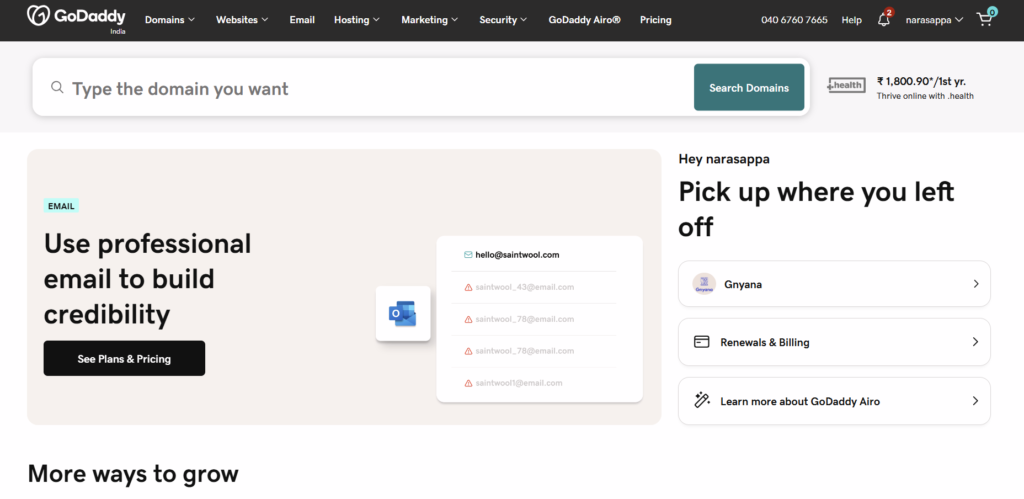
- GoDaddy
- HostGator
💡 Tip: Beginners ಗೆ Hostinger best & affordable.
Step 3: Choose Website Platform (WordPress Best)
Website create ಮಾಡಲು options:
- HTML & Coding (Hard)
- Website Builders (Limited)
- WordPress (Best Option) ✅
Why WordPress?
- Free & Open Source
- No Coding Required
- Kannada Language Support
- SEO Friendly
- Thousands of Themes & Plugins
👉 90% websites WordPress use ಮಾಡ್ತಿವೆ
Step 4: Install WordPress (Easy Process)
Most hosting companies 1-Click WordPress Install ಕೊಡ್ತವೆ.
Steps:
- Login to Hosting cPanel
- Click on WordPress Installer
- Enter Website Name
- Install
🎉 Website basic structure ready!
Step 5: Kannada Language Setup in WordPress
WordPress supports Kannada language officially.
How to Set Kannada:
- Dashboard → Settings
- General → Site Language
- Select Kannada (ಕನ್ನಡ)
- Save Changes
👉 Now your Admin Panel Kannada ನಲ್ಲಿ ಕಾಣಿಸುತ್ತದೆ
Step 6: Choose Kannada-Friendly Theme
Theme ಅಂದ್ರೆ website design.
Recommended Themes:
- Astra
- Hello Elementor
- OceanWP
- GeneratePress
Theme Selection Tips:
- Mobile Responsive
- Fast Loading
- SEO Optimized
- Kannada Fonts Support
💡 Kannada Content readability important
Step 7: Important Pages to Create
Every professional website ನಲ್ಲಿ these pages must:
Must-Have Pages:
- Home
- About Us
- Services
- Contact Us
- Privacy Policy
- Terms & Conditions
Kannada Example:
- ನಮ್ಮ ಬಗ್ಗೆ
- ನಮ್ಮ ಸೇವೆಗಳು
- ಸಂಪರ್ಕಿಸಿ
👉 Kannada + English mix is perfect for Indian audience.
Step 8: Write Content in Kannada (SEO Friendly)
Google Kannada Content Rank ಆಗುತ್ತಾ?
👉 Yes! 100%
Google supports:
- Kannada
- Hindi
- Telugu
- Tamil
SEO Content Writing Tips:
- Simple Kannada Words
- Avoid heavy Sanskrit words
- Use English keywords inside Kannada paragraph
- Headings with keywords
📌 Example Heading:
How to create website in Kannada for business
Step 9: Install Important Plugins
Plugins add power to your website.
Must-Have Plugins:
- Rank Math SEO / Yoast SEO
- Contact Form 7
- WPForms
- Elementor
- WP Fastest Cache
- Security Plugin
👉 SEO plugin is mandatory for Google ranking
Step 10: Contact Form & WhatsApp Integration
Contact Form Benefits:
- Direct Enquiry
- Email Notifications
- Lead Generation
WhatsApp Button:
Indian users prefer WhatsApp.
👉 One click chat = More Leads
Step 11: Mobile Friendly & Speed Optimization
Why Speed Matters?
- Google ranking
- User experience
- Bounce rate reduce
Speed Tips:
- Use lightweight theme
- Compress images
- Enable caching
- Avoid heavy plugins
🚀 Fast website = Higher Google Rank
Step 12: SEO Optimization (Very Important)
On-Page SEO:
- Meta Title
- Meta Description
- Focus Keyword
- Image Alt Tags
Example Meta Title:
How to Create Website in Kannada – Step by Step Guide | Deziti IT Solutions
Example Meta Description:
Learn how to create website in Kannada language with simple steps. Beginner friendly Kannada website guide by Deziti IT Solutions.
Low Keyword Difficulty SEO Strategy
🎯 Focus Keyword: How to create website in Kannada
Why this keyword?
- Low competition
- High regional search
- Easy to rank
- Perfect for local audience
👉 Kannada content has less competition than English.
Common Mistakes to Avoid
❌ Copy content from other websites
❌ Heavy animation
❌ No SEO setup
❌ No mobile testing
❌ Ignoring Kannada audience
Why Choose Deziti IT Solutions?
Our Strengths:
- ✅ Kannada + English Website Experts
- ✅ SEO Optimized Websites
- ✅ Affordable Pricing
- ✅ Business Growth Focus
- ✅ Support After Delivery
📍 Location: Karnataka
🌐 Website: https://deziti.com
📧 Email: dezitise@gmail.com
📞 Contact: +91 7259434349
Final Words
ಈ article ನಲ್ಲಿ ನಾವು How to create website in Kannada ಅನ್ನೋ topic ಅನ್ನು complete step-by-step explain ಮಾಡಿದ್ದೇವೆ.
👉 If you want:
- Professional Kannada Website
- SEO Ranking in Google
- Business Leads
👉 Contact Deziti IT Solutions Today!
🚀 Your Business + Technology = Deziti IT Solutions